

WordPress Plugin Development SOP: A Quality Control Workflow for Custom Builds
Quality control on a WordPress plugin is not the last step before release. It is a set of practices that run alongside the build, and it works only when it is documented as a procedure rather than relying on individual memory. The senior advisor’s observation is that teams who treat quality as a checklist applied at the end discover problems too late to fix cleanly. Teams who treat quality as a workflow catch problems while they are still cheap.
This SOP describes a workflow for plugin builds of moderate complexity: enough scope to warrant explicit governance, not so much that the SOP becomes an end in itself. The structure is a thirty, sixty, and ninety-day roadmap covering set-up, build, and stabilization. Each phase has explicit entry criteria, gate reviews, and named outputs. Use this as a starting structure to adapt to your own team’s process, not as a literal script.

Quality-control framing: what we are actually controlling
The phrase “quality control” tends to mean different things to different stakeholders. The buyer thinks about whether the plugin meets the agreed scope. The developer thinks about whether the code follows established practices. The support team thinks about whether the plugin will create unreasonable ticket load. The site operator thinks about whether the plugin will survive future WordPress and PHP updates without intervention. All four are legitimate. None of them is the whole picture.
A workable definition: quality control is the discipline of producing software that does what was promised, does it well in the conditions it will run in, can be operated by people other than the original developer, and can be evolved without rebuilding. Each clause matters and each requires different controls. The SOP that follows is built around producing all four.
The 30/60/90 roadmap at a glance
The roadmap is not a fixed-length schedule. Some projects compress into thirty days total; others stretch to one hundred eighty. What matters is the order of the phases and the gates that separate them, not the absolute durations. A project that does not pass the first gate before starting the second phase has already accumulated risk that the schedule will not absorb.
- Days one to thirty: foundation. Scope confirmed, architecture documented, environment ready, acceptance criteria written, test plan drafted, first code committed and reviewed.
- Days thirty-one to sixty: build. Primary functionality complete, settings UI working, internationalization scaffolded, edge cases catalogued, integration points working with real credentials, first integration test passing.
- Days sixty-one to ninety: stabilization. Full test pass on the support matrix, security review complete, documentation drafted, release artifacts prepared, pilot or limited release executed, post-release monitoring active.
Phase one (days 1 to 30): foundation
The foundation phase exists to make the build phase predictable. Skipping or compressing this phase is the most common cause of late surprises. A senior practitioner spends the foundation phase asking uncomfortable questions while the answers are still cheap.
Day-by-day entry criteria
Before day one starts, the team should have a brief, a named project sponsor, and an initial budget. The day-one task is to convert these into a working scope document, not to start coding. A developer who opens an editor on day one is signaling either that the scope is already extremely clear (rare) or that they are deferring discovery work that will return later as rework (common).
Workstreams in phase one
Four workstreams run in parallel. None of them is “coding the plugin.” They are: scope and acceptance criteria; technical architecture and integration design; environment and tooling setup; and risk and stakeholder mapping.
The scope workstream produces a written document covering the plugin’s purpose, the user stories, the data model, the user interface flows, and the explicit non-goals. The non-goals matter because they prevent the scope from accreting silently during build.
The architecture workstream produces a technical write-up of how the plugin will be structured, what hooks and filters it will register, what database tables (if any) it will create, what external services it will call, and what its uninstall behavior will be. The write-up is short by design (often three to seven pages); long architecture documents tend to be aspirational rather than operational.
The environment workstream sets up the local development environment, the staging environment, the version control repository, the issue tracker, the continuous integration pipeline, and the credentials for any external services. Sloppy environment setup creates problems that look like code problems for weeks afterward.
The risk workstream identifies what could go wrong and what would be done about it. A short risk register listing the top five to ten risks, each with an owner and a mitigation, is sufficient. The register is reviewed weekly; risks move on and off as the project progresses.
Phase one gate
Before phase two begins, six items must be present and reviewed: signed scope, written architecture, working local and staging environments, drafted acceptance criteria, drafted test plan, and a risk register with named owners. A team that wants to start phase two without these items is buying problems that will appear later. The gate is held even when the schedule is tight, because no schedule pressure is reduced by entering the build phase prematurely.
Phase two (days 31 to 60): build
The build phase is the longest of the three but the simplest to describe. The team builds the plugin against the scope, the test plan runs alongside the build, and the gates focus on early integration rather than late perfection.
Workstreams in phase two
Five workstreams now run in parallel: core development, test development, integration verification, internationalization, and stakeholder communication.
Core development moves through the user stories in priority order. Stories at the top of the backlog are completed first, and “completed” means code merged, tested, and deployable, not “feature branch exists.” The discipline of finishing what was started before moving to the next item is what separates teams that hit gates from teams that have a lot of work in progress and no completed work.
Test development runs alongside code. Each user story has a test case before the code is merged. The test does not have to be elaborate; it has to be repeatable and meaningful. Teams that defer test development to the end of the phase always discover that the last week is consumed by test writing rather than feature completion.
Integration verification means running the plugin against real external services with real (test) credentials as soon as the integration point exists, not at the end. The cost of fixing an integration mismatch goes up sharply once code has been written assuming the wrong behavior. Catching the mismatch in week four is much cheaper than catching it in week eight.
Internationalization scaffolding is added during build, not after. Every user-facing string is wrapped in the translation functions, the textdomain is registered, and the .pot file is generated at the end of each sprint. A plugin that has to be retrofitted for internationalization at the end of the build doubles the work and rarely produces clean results.
Stakeholder communication is a workstream because it is real work. The sponsor needs weekly status that is honest about progress, risks, and blockers. The team needs the sponsor to make decisions on the items that require them. A weekly thirty-minute meeting and a written status update is enough for most projects; the discipline is consistency, not volume.

Phase two gate
Before phase three begins, seven items must be true: all primary user stories complete, settings UI working end-to-end, all integration points verified with real credentials, internationalization scaffolding in place, test plan executed at least once with documented results, no open critical or high-severity defects, and the documentation outline drafted.
The gate is sometimes failed at this point. The honest response to a failed gate is to extend the phase rather than to enter phase three with incomplete work. A team that enters stabilization while still building is a team that will release a plugin with both unfinished features and untested stabilization.
Phase three (days 61 to 90): stabilization
The stabilization phase is where many plugin projects underinvest. The pressure to declare victory and move the team to the next project is real. The discipline is to recognize that the difference between a plugin that works and a plugin that operates is built in this phase.
Workstreams in phase three
Six workstreams now run in parallel: comprehensive testing, security review, documentation finalization, release preparation, pilot execution, and operational handover.
Comprehensive testing extends what phase two started. The full support matrix is exercised, not just the latest versions. Known conflicting plugins are tested actively. Accessibility checks are run against the front-end output. Performance is measured under realistic load, not under empty-database conditions.
Security review can be internal, external, or both. The internal review is conducted by a developer other than the primary author and focuses on common WordPress security patterns: capability checks on AJAX and REST endpoints, sanitization on input, escaping on output, nonce verification on state-changing actions, prepared statements for database queries. The external review, if budgeted, is conducted by a security firm with WordPress experience.
Documentation finalization covers four audiences: end users, site administrators, developers extending the plugin, and the support team. Each audience needs different documentation, and trying to serve them all with one document produces something that does not serve any of them well.
Release preparation handles the artifacts: the readme.txt or readme.md, the screenshots, the banner and icon for the WordPress.org listing if applicable, the version number, the changelog, the release notes, and the announcement copy. Most of this can be drafted in parallel with QA rather than waiting for QA to complete.
Pilot execution releases the plugin to a limited audience before general availability. The audience might be a single client site, an internal team, or a beta group. The pilot duration is one to four weeks depending on usage volume; long enough to see real-world behavior, short enough to maintain momentum. Findings from the pilot feed back into the codebase before general release.
Operational handover transfers ownership from the build team to the operations team, even if they are the same people working in different modes. The handover includes a runbook describing how to operate the plugin, a list of known limitations, an inventory of credentials and integrations, and a recorded walkthrough of the codebase covering the non-obvious parts.
Phase three gate (the release gate)
Before public release, eight items must be true: full test pass with all findings resolved or accepted as known issues, security review complete with all high-severity findings remediated, documentation reviewed and approved, release artifacts ready, pilot complete with findings addressed, runbook drafted, support team enabled, and rollback plan written.
The rollback plan is the item teams most often skip. A rollback plan describes what the team will do if the release introduces a critical problem in production: which version to revert to, how to communicate with affected users, who decides to roll back, and how long the decision window is. Plugins do not roll back as cleanly as web applications, so the plan has to be specific to the plugin’s release channel.
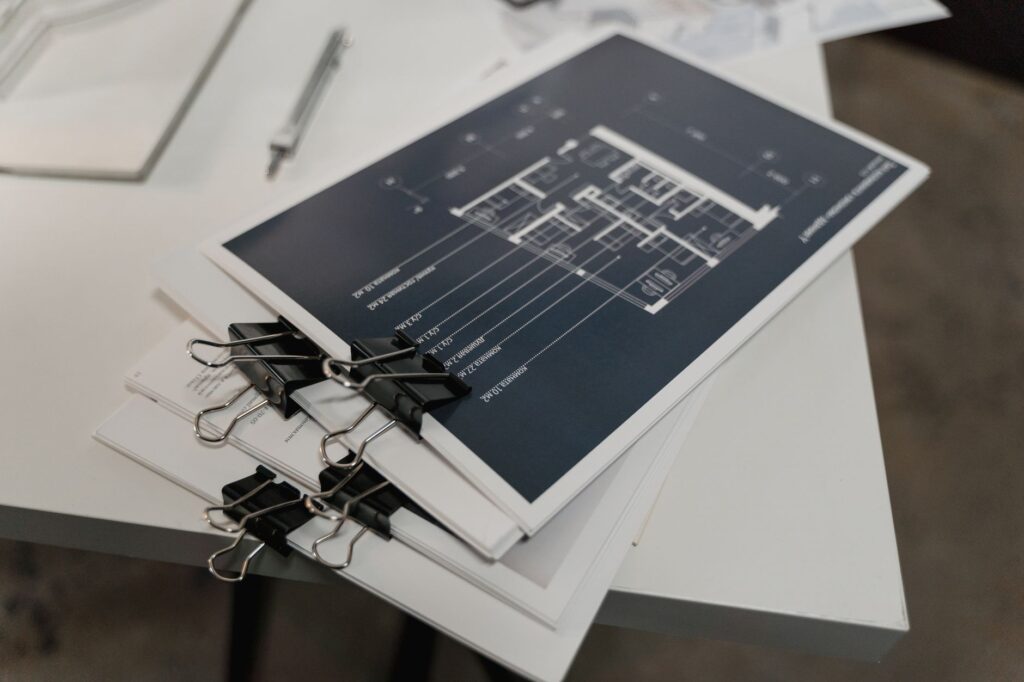
Quality control checkpoints embedded in the daily workflow
The 30/60/90 structure describes major gates. Between the gates, smaller checkpoints catch issues while they are still inexpensive. The list below is not exhaustive; it is a starting set that most plugin teams find valuable.
Code review on every pull request
Every change to the codebase, including the developer’s own, gets read by a second pair of eyes before being merged. The reviewer is looking for security issues, performance issues, deviation from established patterns, missing tests, and missing documentation. Reviews are normally short; if a review is becoming long, the change is too large and should be broken into pieces.
Continuous integration on every commit
Automated tests, linting, and static analysis run on every commit. A red build is fixed before any other work continues. The discipline of keeping the build green is the cheapest quality control investment available; the alternative is a build that nobody trusts and a team that ignores test failures.
Weekly defect review
Once a week, the team reviews open defects together. The review covers severity assignment, age of open defects, defects that have been reopened, and trends. A defect older than fourteen days is examined explicitly: it is either still a real defect that needs attention, or it is no longer a defect and should be closed with a reason.
Sprint or milestone retrospective
At the end of each sprint or milestone, the team meets for thirty to sixty minutes to discuss what worked, what did not, and what they will try differently. Retrospectives are deceptively easy to skip and surprisingly valuable when held consistently. The output is one or two concrete changes for the next sprint, not a wish list.
External dependency monitoring
The plugin’s third-party dependencies (PHP packages, JavaScript packages, external APIs) are monitored for security advisories, deprecations, and breaking changes. A weekly fifteen-minute review of dependency status catches most issues before they become urgent.
Common failure modes to design out of the SOP
An SOP that is followed prevents some failures. An SOP that names common failures prevents more. The list below is the set of failures I see most often on plugin engagements; addressing each in the SOP itself reduces the chance of recurrence.
The end-of-phase rush. Work compresses into the last week of each phase, gate reviews become rubber stamps, and the next phase inherits unfinished work. Counter: enforce the gate strictly, even when uncomfortable.
The silent scope creep. Features accumulate informally through email, hallway conversations, and verbal commitments. Counter: written change orders, no exceptions, even for small items.
The lone developer. One person holds all the context, the bus factor is one, and the project becomes unmanageable when that person is unavailable. Counter: pair programming on critical sections, code review by a second developer, shared documentation.
The optimistic test plan. The test plan assumes everything will work, edge cases are not enumerated, and QA finds the same kinds of issues over and over. Counter: edge cases are explicit deliverables of the test plan; the question “what could go wrong here” is asked for every user story.
The undocumented decision. The team chooses an approach in a meeting, builds against it for weeks, and discovers later that nobody remembers why the approach was chosen. Counter: a short architectural decision record for any choice that the team will be questioned about later.
The unrealistic release date. A date is committed before the scope is known, becomes the constraint that everything else has to fit, and produces a release that meets the date but not the quality bar. Counter: dates are committed after gates, not before.
Roles and responsibilities through the workflow
The SOP works only when each task has an owner. The list below is a starting model; adapt the role names to match your team’s structure.
| Role | Phase 1 responsibility | Phase 2 responsibility | Phase 3 responsibility |
|---|---|---|---|
| Project sponsor | Approve scope and budget | Make scope-change decisions | Approve release |
| Project manager | Coordinate discovery, manage stakeholders | Track progress, run weekly status | Coordinate release, manage handover |
| Lead developer | Design architecture, draft estimates | Make technical decisions, review code | Lead remediation, drive release readiness |
| Developers | Contribute to architecture, set up environment | Build features, write tests, review code | Fix findings, support pilot, write documentation |
| QA lead | Draft test plan and acceptance criteria | Execute tests, log defects, validate fixes | Run full test pass, sign off on release |
| Security reviewer | Identify security requirements | Spot-check critical code as it lands | Conduct security review, validate remediation |
| Technical writer | Set documentation outline | Draft documentation alongside features | Finalize all documentation, review for accuracy |
| Operations lead | Identify operational requirements | Review runbook drafts as features land | Accept handover, run pilot, monitor release |
Next-step checklist for adopting this SOP
An SOP that exists only on paper has no value. The list below is a practical sequence for moving from the version of your team’s process you have today to one that resembles this SOP. The order matters; jumping ahead tends to install practices that do not stick.
- Pick one project starting in the next month and adopt the phase structure for that project only. Do not try to retrofit projects in flight.
- Write the scope and architecture documents for that project before any code is written. Treat the writing as a paid activity, not a formality.
- Set up the issue tracker with explicit gates between phases. Move tickets between phases only when the gate criteria are met.
- Hold the first gate review even if the schedule is tight. The first project’s gate sets the precedent for every project after.
- Run weekly status reviews and weekly defect reviews from week one. The cost of starting these later is much higher than the cost of starting them on time.
- At the end of the project, hold a retrospective specifically about the SOP itself. Adjust the gates, the workstreams, and the roles based on what the project taught you.
- Update the SOP document with the changes. An SOP that does not change after each project is either perfect (unlikely) or being ignored.
- Train the team on the updated version before the next project starts. Training is a thirty-minute conversation, not a course, but it has to happen.
- Repeat. The fourth project run on this SOP will produce noticeably better outcomes than the first, and the team will own the process rather than tolerate it.
Quality is not a department or a phase. It is a way of running the work that produces software that holds up under use. The SOP is a tool for installing that way of working in a team. The tool is only as good as the discipline of using it, but a team that uses it consistently builds a kind of compounding advantage: each project is run a little better than the last, the same problems do not recur, and the team’s reputation for predictable delivery becomes a real asset.


Discussion
Join the Conversation
No comments yetNo comments yet
Start the discussion with a useful question, implementation note, or feedback that can help the next reader.