

WordPress Plugin Maturity Roadmap: From First Release to Enterprise-Grade Operation
The risk that most plugin teams underestimate is not building the first version. It is operating the plugin after it is built. The first release is a milestone; sustained quality over years is a discipline. A plugin that begins as a focused MVP and stays useful five years later has not been the same plugin throughout; it has grown through stages of maturity, each of which adds capabilities the previous stage did not need. Teams that do not understand the stages tend to skip past them, accumulating debt that surfaces later as instability, security incidents, or slow erosion of the user base.
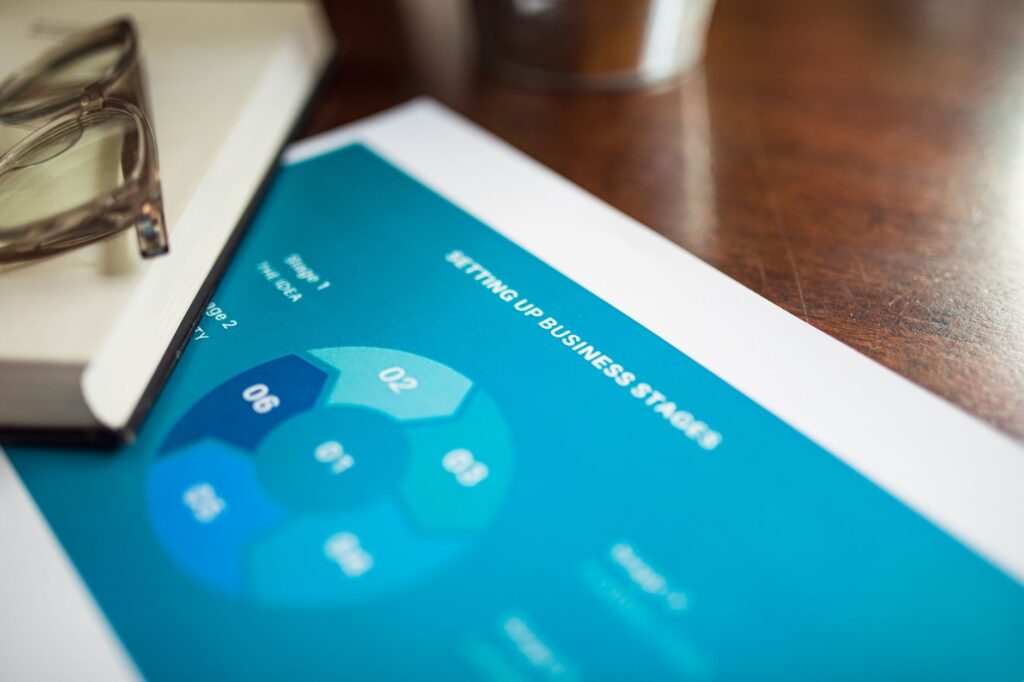
This roadmap describes five stages of plugin maturity: minimum viable, stable, supported, scaled, and enterprise-grade. Each stage has characteristics, capabilities, and operational requirements that differ from the previous one. The roadmap is not a schedule (some plugins stay at stage two indefinitely, which is fine), but it is a map of which capabilities to add next when a plugin’s success outgrows its current capacity.

Risk-first view: why plugins fail at each transition
The transitions between stages are where plugins fail most often. The first release works. The second year shows the gaps. The third year either resolves them or the plugin becomes a liability. Naming the failure modes at each transition lets teams design against them.
The transition from stage one to stage two fails when the team treats the first release as the finished product. Real usage produces bug reports, feature requests, and compatibility issues. A team that does not plan for the volume of post-release work either underinvests in fixing issues (the plugin develops a reputation for instability) or overcommits to fixing everything (the team burns out within months).
The transition from stage two to stage three fails when the team does not build the support infrastructure. A plugin with a few hundred users can be supported by the developer answering emails. A plugin with a few thousand users cannot. Teams that try to scale support through individual responsiveness either become unresponsive (users leave) or hire support staff without training and documentation (support quality degrades).
The transition from stage three to stage four fails when the team does not invest in performance and architecture. A plugin that worked fine on small sites starts producing visible problems on large sites. The team treats these as individual bugs rather than as signals that the architecture has reached its limit. By the time the architectural problem is acknowledged, refactoring is much harder than it would have been a year earlier.
The transition from stage four to stage five fails when the team does not build the governance to operate at enterprise scale. Enterprise customers have different requirements (security audits, compliance documentation, defined SLAs, formal change management) that volunteer or small-team energy alone cannot sustain. Teams that resist this transition either lose enterprise customers or accept obligations they cannot deliver on.
Stage one: minimum viable plugin
The plugin exists, performs its primary function, and has been used by at least a few real users beyond the development team. The codebase is small enough that one developer holds the full mental model. Documentation is minimal. Support consists of replying to whoever reaches out.
Characteristics
A stage-one plugin has a working version published. Settings save and load. The primary user story produces the expected outcome. Basic security hygiene is in place. The plugin can be installed and uninstalled without leaving major residue. Internationalization is scaffolded, even if only English is translated. The version number tracks releases reasonably.
Capabilities that distinguish stage one from a prototype
A prototype demonstrates that something is possible. An MVP is intended for actual use. The distinguishing capabilities are: error states that the user can understand and recover from, settings that survive plugin updates, an uninstall routine that works, basic compatibility with current and previous major WordPress, and a readme or release notes file that explains what the plugin does and how to use it.
Common stage-one mistakes
Treating the MVP as a finished product. Skipping the uninstall routine. Shipping without internationalization scaffolding because the first release is English-only. Hardcoding configuration that should be a setting. Bypassing capability checks because the developer is the only user during testing. Each of these is fixable at stage one with modest effort and expensive to fix later.
When to move to stage two
The plugin has external users (not just the team). At least one user has reported an issue that required investigation. Feature requests are coming from outside the original brief. The codebase is too large to hold entirely in one head. Any of these signals that the operational discipline of stage two is needed.
Stage two: stable plugin
The plugin has been used by enough users for long enough that the major rough edges have been smoothed. Releases follow a predictable pattern. A changelog is maintained. A support channel exists, even if it is just email or a forum thread. The team has a basic process for handling bugs and feature requests.
Characteristics
A stage-two plugin has version control with meaningful commit history. A backlog tracks open issues and feature requests. Releases are versioned semantically. A changelog accompanies each release. The plugin has been tested against more than just the developer’s local environment. A small set of documentation pages explains the main features and the common configurations.
Capabilities to add at stage two
Automated tests for the critical paths. A staging environment used routinely. A documented release process, even if informal. Coding standards enforced by linting on every commit. A defect triage process that distinguishes bugs from feature requests and assigns severity. A defined warranty period or post-release fix policy.
Common stage-two mistakes
Letting the backlog grow without triage. Conflating bugs and feature requests, which produces an unmanageable mixed list. Releasing without a changelog because “nobody reads them” (the team needs the changelog as much as the users do). Adding features faster than fixing reported defects, which builds technical debt that surfaces at later stages. Skipping the documentation refresh on each release.
When to move to stage three
The team can no longer handle support load via individual responsiveness. The plugin is used widely enough that release announcements matter. Compatibility with adjacent plugins becomes a recurring topic. Feature requests come from more diverse use cases than originally anticipated. The team needs to think about the plugin as a product rather than a project.
Stage three: supported plugin
The plugin has a user base large enough that operations require infrastructure beyond individual effort. Support is more structured. Documentation is broader. The release process is documented and repeatable. The plugin is part of a community of users who help each other and report issues constructively.
Characteristics
A stage-three plugin has a support channel with defined response expectations. A documentation site or section covers common questions, common configurations, and troubleshooting. The release process is documented end-to-end so that anyone on the team can run it. The plugin has a public roadmap, even if it is high-level. Releases happen on a predictable cadence (often monthly or quarterly).
Capabilities to add at stage three
Knowledge base or documentation site with searchable content. Issue tracking visible to users (often a public issue tracker or community forum). A community management role, even if part-time, that engages with users beyond the development team. Compatibility testing matrix covering common adjacent plugins. A release calendar published in advance. A defined hotfix process for critical issues.
Common stage-three mistakes
Building support infrastructure without staffing it. A documentation site that is not maintained becomes worse than no site. Promising response times the team cannot meet. Adding features faster than the team can support them. Releasing on a stated cadence that the team cannot sustain, which damages trust more than missing a release announced as delayed. Treating community as a chore rather than as a real source of feedback and contributions.
When to move to stage four
Performance and architecture begin showing strain on the largest sites. Multiple enterprise prospects ask whether the plugin can handle their scale. The codebase has grown to the point where major refactoring becomes necessary to add new features. The team needs to invest in the plugin’s foundations to keep it viable.

Stage four: scaled plugin
The plugin works on sites of all sizes, including very large ones. Performance has been measured, optimized, and instrumented. The codebase has a documented architecture that survives team changes. Multiple developers maintain the plugin, each with defined responsibilities. The plugin is reliable enough that customers depend on it commercially.
Characteristics
A stage-four plugin has documented performance characteristics under realistic load. Architecture decisions are recorded (often as ADRs, architectural decision records) so that the rationale for past choices survives team turnover. Multiple developers can work on the codebase without coordination overhead exceeding the benefit. The plugin has been audited externally for security at least once. A customer-success or account-management function handles enterprise relationships.
Capabilities to add at stage four
Performance monitoring (real-user monitoring on customer sites, with permission, or synthetic monitoring on representative test sites). Capacity planning for the support and development teams. A formal product management function that prioritizes the roadmap based on customer input and business needs. Architecture documentation with diagrams, data flows, and integration boundaries. A security disclosure policy and process. Defined SLAs for at least the enterprise tier.
Common stage-four mistakes
Treating scaling as a one-time refactor rather than an ongoing discipline. Adding a customer-success function without empowering it to influence the roadmap. Publishing SLAs without an operational structure to meet them. Letting architecture decisions accumulate without recording them, so that team changes lose context. Resisting the formality that enterprise customers require, which costs deals without saving meaningful effort.
When to move to stage five
The plugin is used by organizations with formal procurement, security, and compliance requirements. Customers ask for audit reports, penetration test results, and compliance attestations. Loss of the plugin would create real business risk for customers. The plugin is no longer just useful software; it is part of customers’ operational infrastructure.
Stage five: enterprise-grade plugin
The plugin is operated as enterprise software. Governance, compliance, security, and reliability are managed with the formality those domains require. The team includes specialists in each area or contracts with firms that provide those capabilities. The plugin’s commercial model supports the cost structure required to deliver at this level.
Characteristics
A stage-five plugin has formal release management with change advisory or equivalent governance. Security is reviewed continuously, with annual third-party audits as a baseline. Compliance with relevant frameworks (SOC 2, ISO 27001, privacy frameworks, or industry-specific frameworks) is maintained as part of operations. SLAs are met operationally, not just stated. Customer success is a defined function with named owners per major account. Incident response is documented, drilled, and reviewed after each event.
Capabilities to add at stage five
Compliance and audit infrastructure (evidence collection, audit response, third-party assessment management). Formal incident response with on-call rotation and post-incident reviews. Disaster recovery planning for the plugin’s own infrastructure (build, release, license management, telemetry). Customer-facing documentation suitable for security review (architecture diagrams, data flow descriptions, threat models). Defined product lifecycle including formal end-of-life policies for major versions.
Common stage-five mistakes
Treating enterprise customers as the small-customer experience with more meetings. Underinvesting in compliance until an audit deadline forces emergency work. Letting incident response be the on-call developer’s improvisation rather than a documented process. Promising compliance attestations the team has not earned. Trying to maintain enterprise-grade operation with a team sized for stage three.
Role and responsibility map across stages
The team that runs a plugin changes substantially across the stages. The map below describes which roles are needed at each stage. Note that role does not necessarily mean a dedicated person; especially in early stages, one person often fills several roles.
| Role | Stage 1 | Stage 2 | Stage 3 | Stage 4 | Stage 5 |
|---|---|---|---|---|---|
| Lead developer | Required; usually the founder | Required | Required | Required, often architect-level | Required, with bench depth |
| Additional developers | Not required | Optional | Often 1-2 | Required (3-5+) | Required (5+, specializations) |
| QA specialist | Same person as developer | Same person, or contracted | Required (at least part-time) | Required (dedicated) | Required (team) |
| Product manager | Same person as developer | Same person | Often part-time dedicated | Required (dedicated) | Required (full function) |
| Technical writer | Same person as developer | Same person, or contracted | Required (often contracted) | Required (often part-time) | Required (dedicated) |
| Support | Same person as developer | Same person | Required (dedicated) | Required (team) | Required (tiered team) |
| Customer success | Not required | Not required | Optional | Required for enterprise tier | Required (named per account) |
| Security specialist | Not required (developer covers basics) | External review periodic | External review annual | Required (internal + external) | Required (formal program) |
| Compliance | Not required | Not required | Not required | Optional | Required (formal function) |
| Operations / DevOps | Not required | Same person as developer | Required (at least part-time) | Required (dedicated) | Required (team with on-call) |

Priority order of actions when advancing a stage
When a team identifies that the plugin needs to move to the next stage, the temptation is to add all the missing capabilities at once. This usually fails because the team is also continuing to operate the plugin, and the capacity for change is limited. A priority order lets the transition happen incrementally.
Advancing to stage two
First, install version control and a basic issue tracker. Second, establish a release process with versioning and a changelog. Third, write the minimum documentation that allows users to install and configure the plugin. Fourth, set up a basic test framework even with only smoke tests. Fifth, define and publish a support channel with realistic response expectations.
Advancing to stage three
First, build a documentation site or section that covers the most-asked support questions. Second, formalize the release calendar and publish it. Third, set up automated testing on every commit. Fourth, build a triage process for the backlog and apply it to the existing items. Fifth, establish a community channel and engage with it on a defined cadence.
Advancing to stage four
First, instrument the plugin so that performance and behavior can be measured on real installations. Second, conduct a thorough architecture review and document the current state. Third, identify the architectural debt that will block scaling and prioritize remediation. Fourth, hire or contract additional developers and onboard them properly. Fifth, commission an external security audit. Sixth, define and publish SLAs for the customer tiers that warrant them.
Advancing to stage five
First, identify which compliance frameworks apply to the plugin’s customers and which are realistic to pursue. Second, build the evidence collection infrastructure that compliance audits require. Third, formalize the incident response process and run a drill. Fourth, establish the customer-success function with named owners for enterprise accounts. Fifth, document the plugin’s architecture and security posture in customer-facing form. Sixth, pursue the first formal audit or certification.
Stage regression: when plugins move backward
The roadmap describes forward movement, but plugins can also move backward, and the regression is rarely intentional. Two patterns are worth recognizing because intervening early is much cheaper than recovering later.
The first regression pattern is the gradual erosion of practices. A team at stage three may stop maintaining the documentation because nobody has time, stop running the test suite because it has become slow, and stop holding retrospectives because they feel unnecessary. Two years later, the team has stage-one practices and stage-three responsibilities. The recovery is painful because the team has to rebuild discipline while continuing to operate.
The second regression pattern is the team change without handover. A senior developer leaves, takes the mental model with them, and the remaining team operates with reduced context. Decisions that used to be informed are now guesses. The codebase that used to be understood is now mostly opaque. The plugin continues to work, but the team’s ability to evolve it has degraded substantially. The recovery requires either rebuilding the lost context (slow) or accepting a permanent reduction in the rate of change (often the actual outcome).
Both patterns are preventable. Documenting practices, recording architectural decisions, sharing mental models across developers, and running regular retrospectives address the first pattern. Formal handover processes for departing team members, ongoing knowledge sharing, and avoiding bus-factor-one situations address the second.
Where to start if your plugin’s stage is unclear
The roadmap assumes the team knows which stage they are at. Many teams do not, partly because the stages do not have crisp boundaries and partly because teams underestimate where their plugin actually sits relative to its users’ expectations. The simplest diagnostic is to look at what users complain about most.
If users complain about basic bugs, missing features, and confusing behavior, the plugin is in stage one and needs to move to stage two.
If users complain about slow support, missing documentation, and unclear release notes, the plugin is in stage two and needs to move to stage three.
If users complain about compatibility, performance on larger sites, and unmet expectations on enterprise capabilities, the plugin is in stage three and needs to move to stage four.
If users complain about formal requirements that the plugin does not meet (audits, attestations, SLAs), the plugin is in stage four and may need to move to stage five, depending on whether those users matter to the business.
The honest answer to where a plugin should be on the roadmap is not always the highest stage. A plugin with a small user base who do not need enterprise-grade operation is well-served at stage two or three. The mistake is not the stage; it is the mismatch between the plugin’s stage and what its users actually need. Moving forward when forward movement is unnecessary creates overhead. Staying put when forward movement is needed creates the friction that drives users to alternatives. The roadmap is a guide for matching capabilities to need, not a checklist of stages to pass through regardless of fit.


Discussion
Join the Conversation
No comments yetNo comments yet
Start the discussion with a useful question, implementation note, or feedback that can help the next reader.